Video creation tool for financial advisors
One guided session. Five steps.
Cue Studio walks an advisor from a blank page to an approved, branded video package with about five minutes of recording. Here's every step.
Set up once
Tell us who you are. Then never start from scratch again.
01
Your profile
Name, credentials, firm and voice guidance. These shape the scripts and LinkedIn posts Cue drafts for you.
02
Permissions
Camera and microphone access. Footage is encrypted, not used to train AI models, and set to expire after 60 days.
03
Brand and compliance
Save your firm-approved disclosure and brand color, and choose whether the disclosure appears on the end card or in the post.
04
Camera check
A quick framing, lighting and audio test. The same check runs before every session, so a great take is never a surprise.
Every session
Five steps from topic to approved video.
1
Start your script
Start from your firm's approved library, draft with Cue from a trending article or your own topic, write or paste a script, or upload a Word, PDF or text file. Edit the draft freely, then lock the version you intend to record.
AI script writer →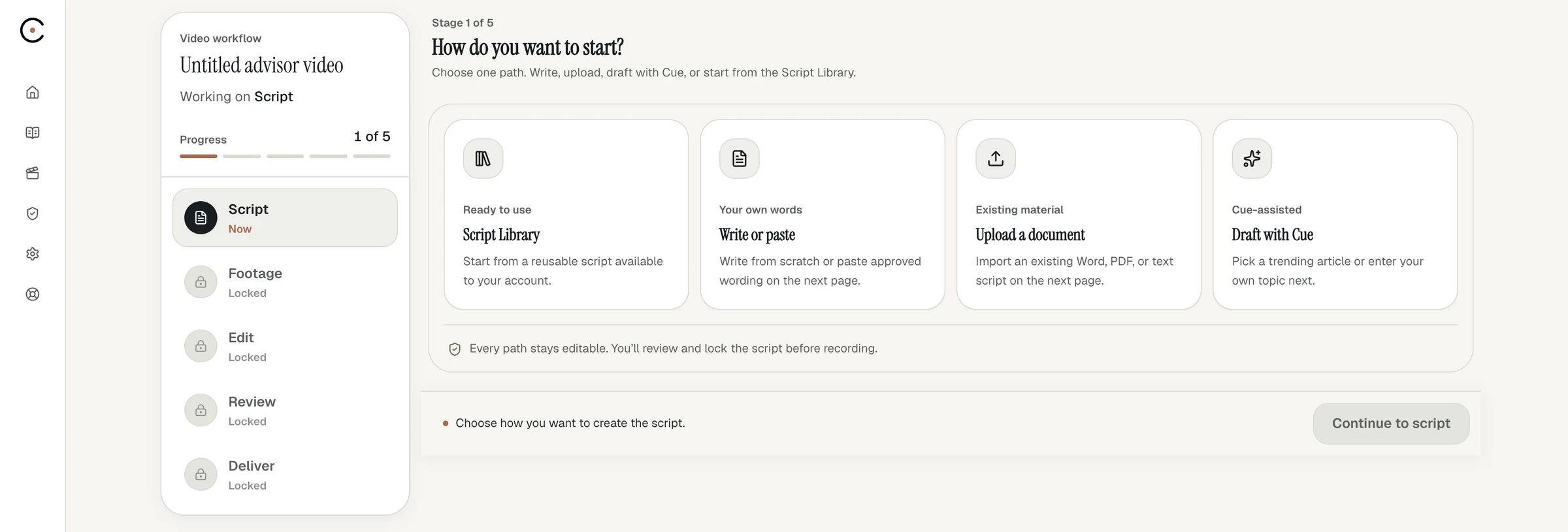
2
Pass the camera check
Your camera opens with a coaching overlay and live feedback on framing, lighting and audio. A checklist tracks readiness, and the record button unlocks when everything is ready.
Guided recording →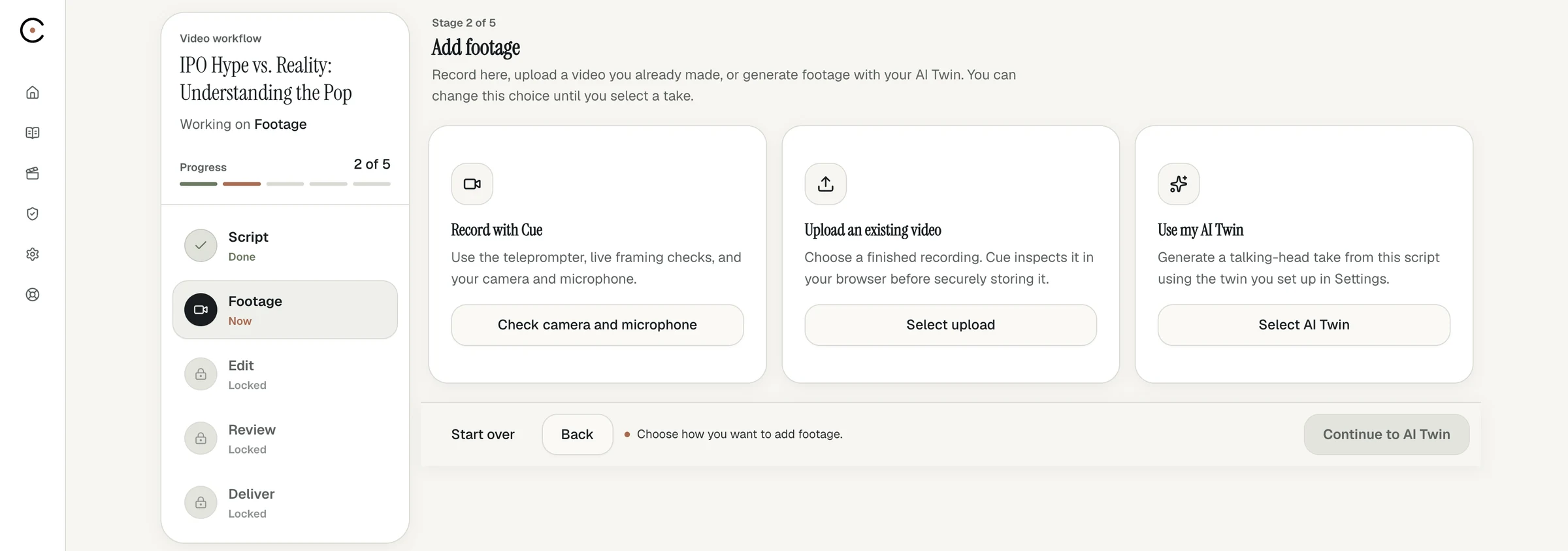
3
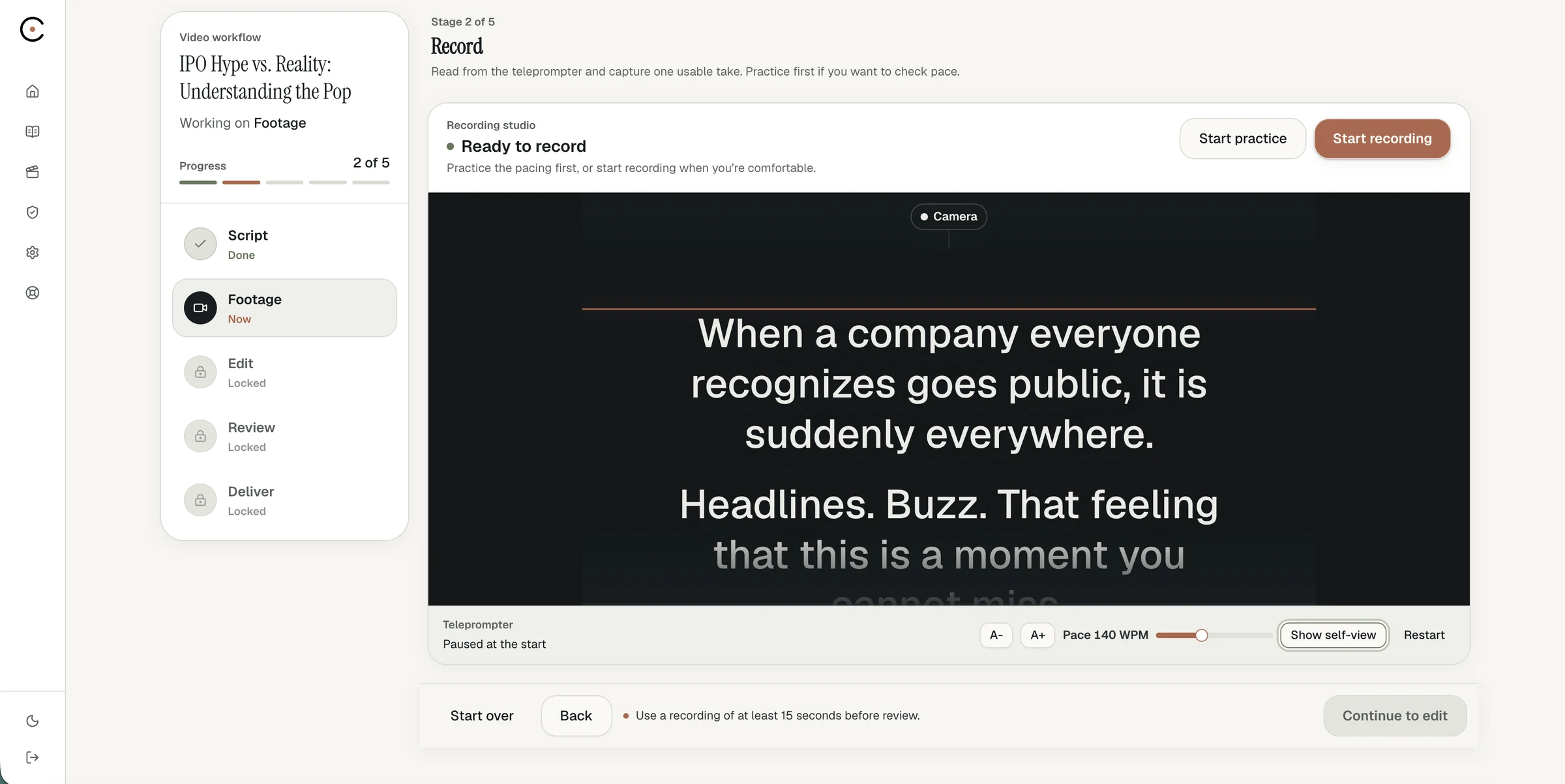
Record
The teleprompter scrolls at the speed you choose while your progress through the script stays visible. Record in your browser, or upload footage you already have.
4
Edit through captions
Review suggested pause cuts, remove filler words, and remove caption lines or words to update the video. Undo any change, re-record if needed, and apply optional eye-contact correction before processing.
Editing and formats →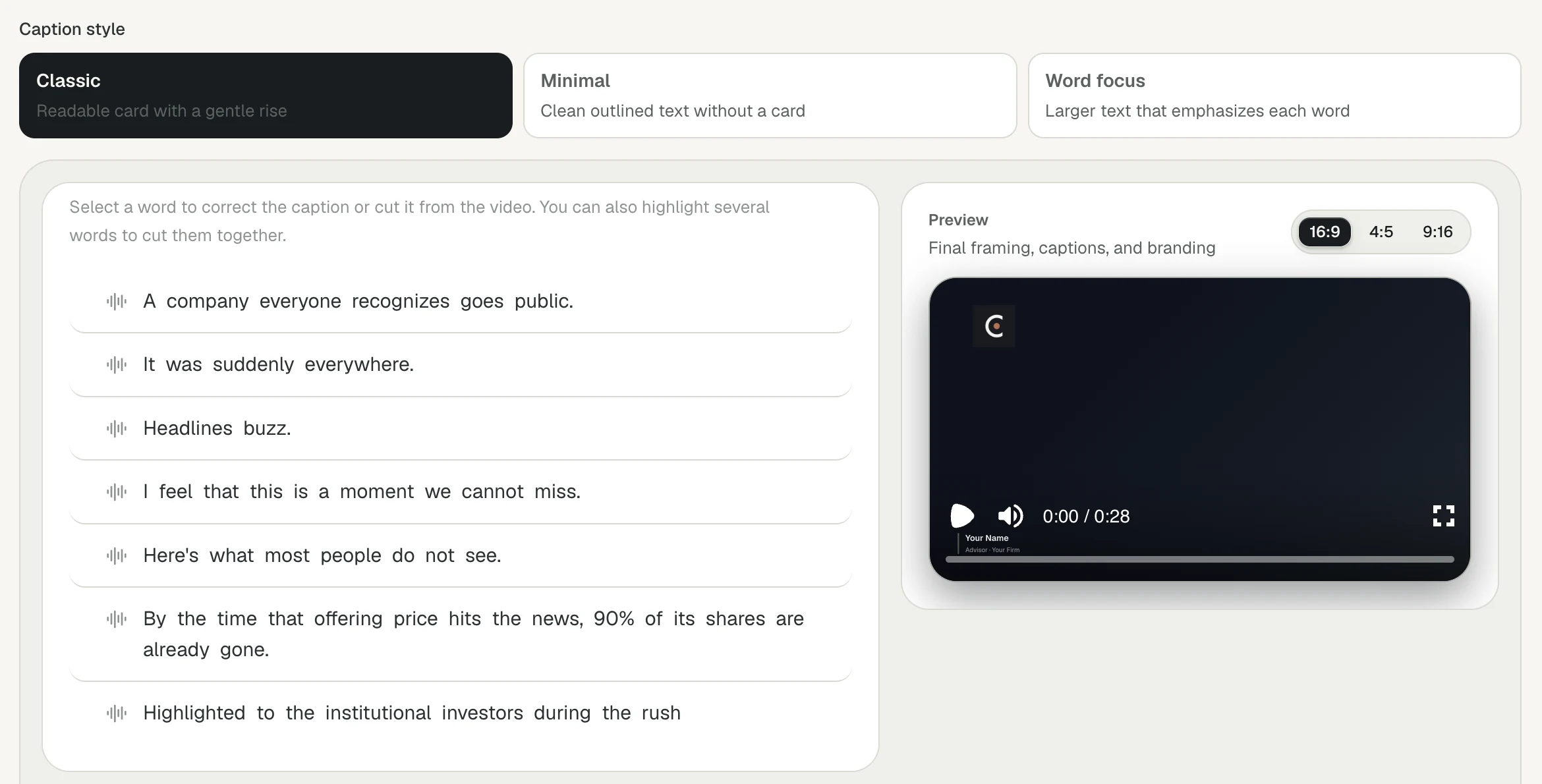
5
Review and deliver
Review the exact rendered package: 16:9, 4:5 and 9:16 videos, captions, a readable transcript and an editable LinkedIn draft. Record your attestation, approve the final video, then download and publish through your firm's process.
Security and review →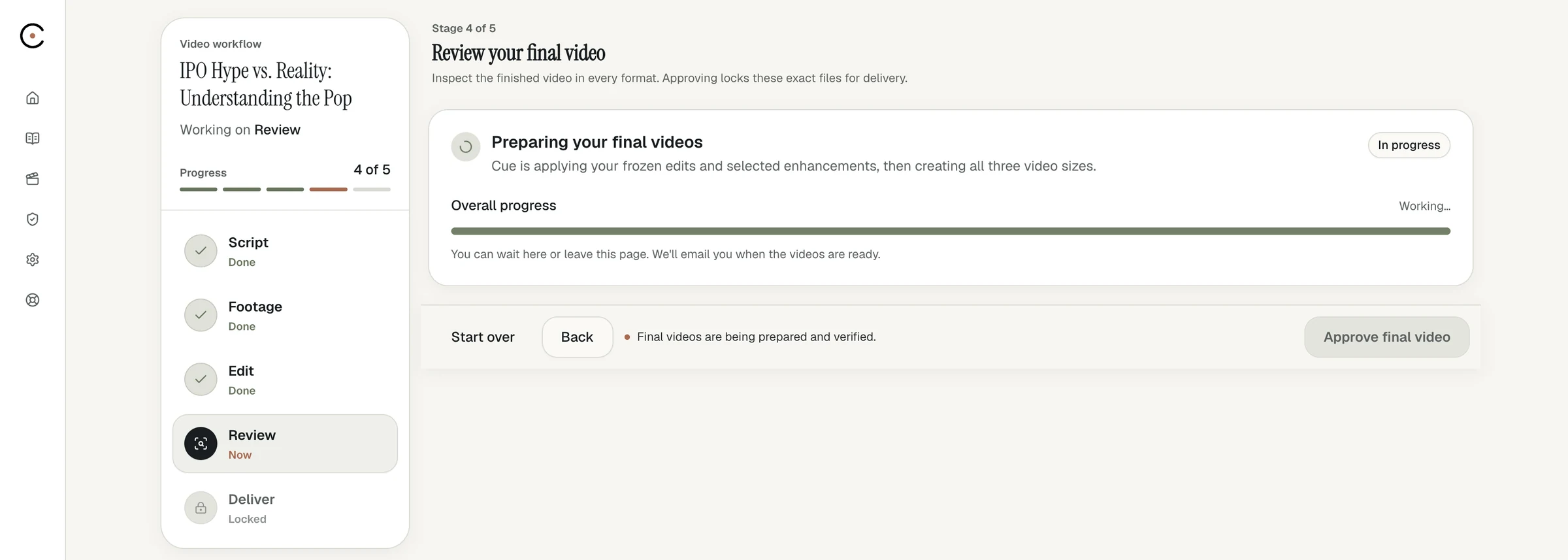
New
Short on time? Let your avatar record.
Create your AI Twin from one five-minute recording, then turn any script into a video that runs through the same five steps. AI Twin videos are an additional cost, billed by usage.
What's the fastest way for a financial advisor to make a video?
Use a guided workflow that handles the script, setup, recording and editing in one place. In Cue Studio, recording takes about five minutes, and Cue renders three formats, captions, a transcript and a LinkedIn draft when you're done.
Can I upload a video I already recorded?
Yes. At the recording step you can upload footage you already have instead of recording in the browser.
What can I use as a script?
A script from your firm's library, a draft from Cue, your own words typed or pasted, or an uploaded Word, PDF or text file.
How long can a video be?
Cue handles videos up to about 20 minutes. Most advisors keep social videos to one or two minutes.
Does Cue publish the video for me?
No. You download the approved package and publish through your firm's process, so your firm's supervision stays in charge.
Your expertise deserves an audience.
Bring a topic, a favorite blog post or this week's market commentary. We'll show you how Cue turns it into a finished video, then set you up with a 14-day free trial.