Camera check and teleprompter for financial advisors
A producer in the room, before you hit record.
Cue checks your framing, lighting, audio and background noise before every session, and the record button stays locked until you're ready. Then a teleprompter scrolls at your pace so you can talk, not memorize.
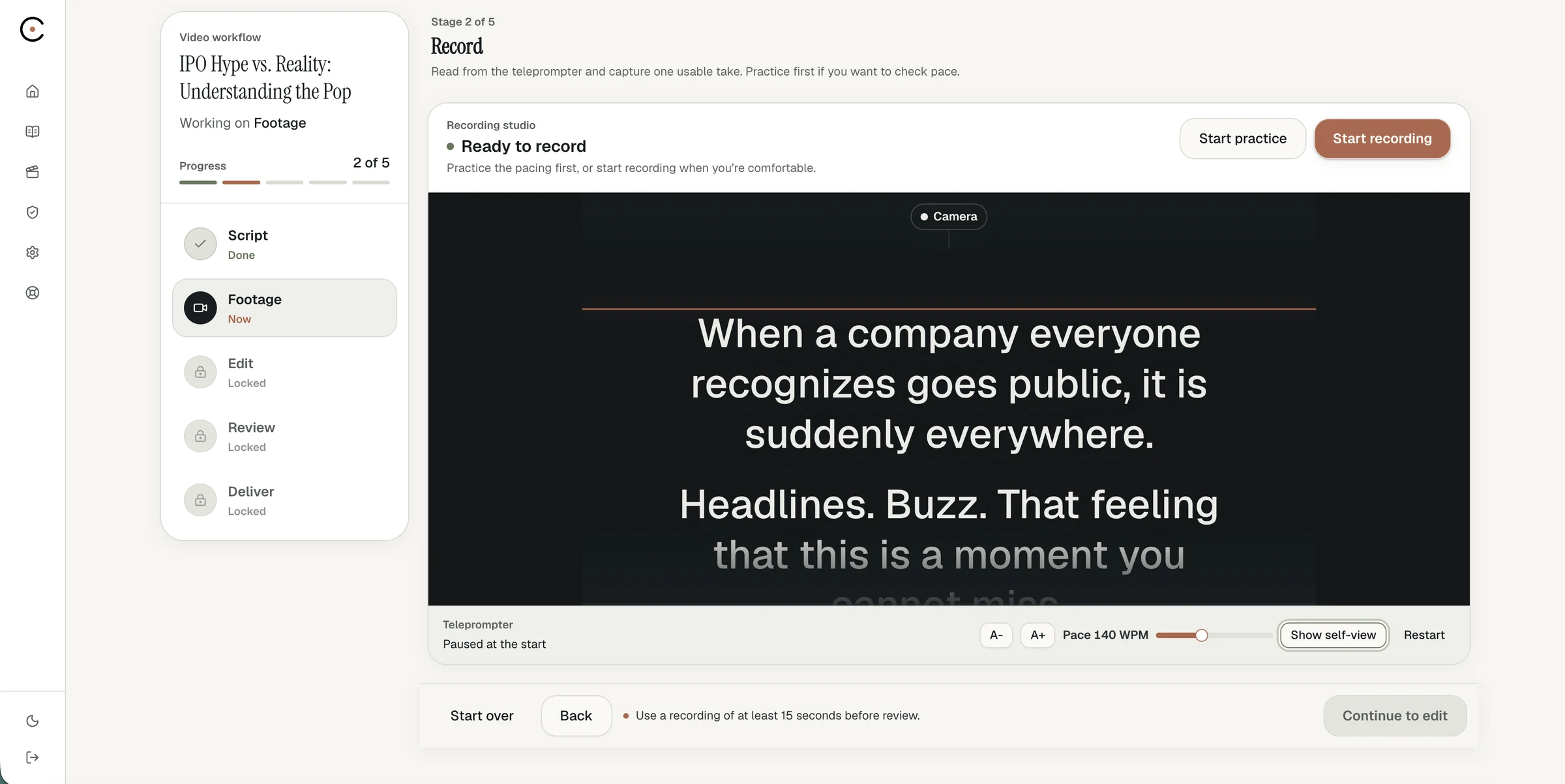
Guided recording
Fix it before the take, not after.
01
Camera check
Your camera opens with a coaching overlay and live feedback on framing, lighting and audio, like having a producer in the room.
02
Readiness checklist
Camera, microphone, audio levels, lighting, framing, background noise and script are checked before every session. Record unlocks when they're ready.
03
Teleprompter at your pace
Set the scroll speed and see your progress through the script as you go. Your only job is talking about what you know.
Why it matters
Most bad takes are lost before the first word.
A bright window behind you, a microphone too far away, a frame that cuts off the top of your head. Camera check catches these while they're still easy to fix, so you never find them after a great take.
Also in the recording step
Record your way.
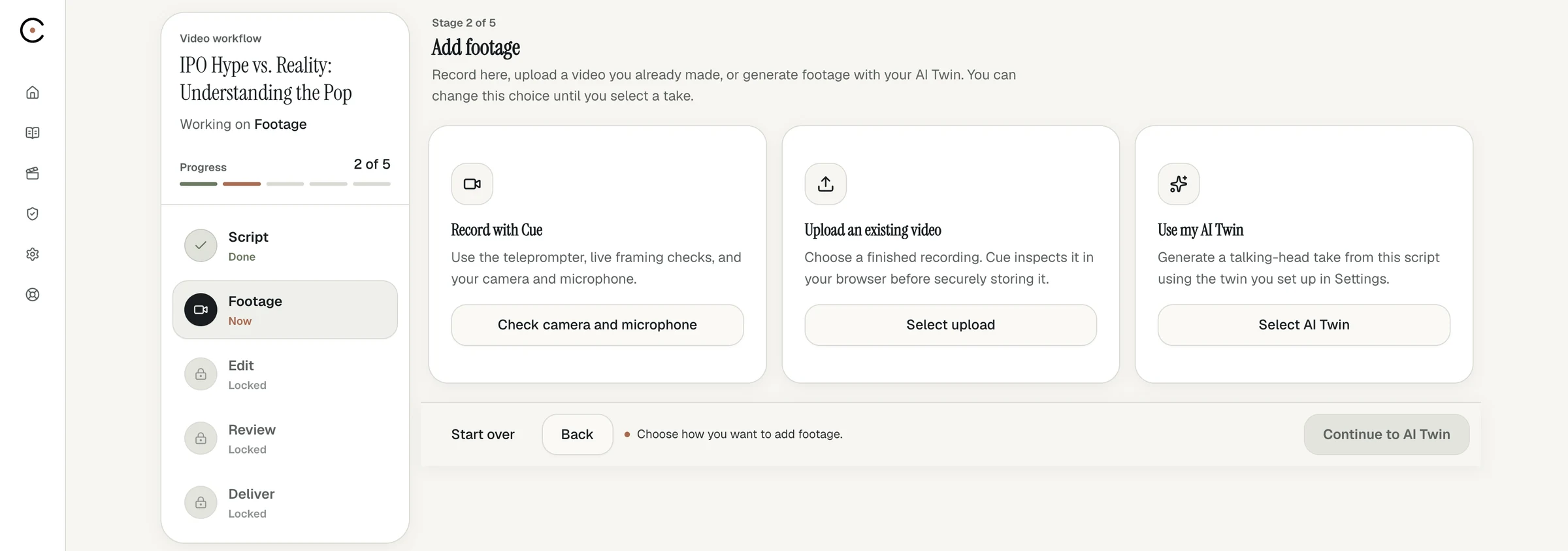
- Record in your browser, no software to install
- Upload footage you already have instead
- Re-record whenever you want another take
- Optional eye-contact correction before processing
Do financial advisors need a teleprompter?
It helps. Reading a locked script keeps you on message and makes review faster. Cue's teleprompter runs in your browser and scrolls at the speed you choose.
What does camera check look at?
Framing, lighting, audio levels and background noise, plus whether your camera, microphone and script are ready. The record button unlocks when the required checks pass.
What equipment do I need to record?
A laptop or desktop with a camera and microphone. Camera check tells you if your lighting or audio needs adjusting before you start.
Can I record more than one take?
Yes. Review your take and re-record whenever you want.
Look ready every time.
Book a demo and we'll run your first camera check with you.