AI video script writer for financial advisors
Never start from a blank page.
Cue gives you four ways to start a script: your firm's approved library, a draft from a trending article or your own topic, your own words, or an uploaded file. Edit every word, then lock the version you'll record.
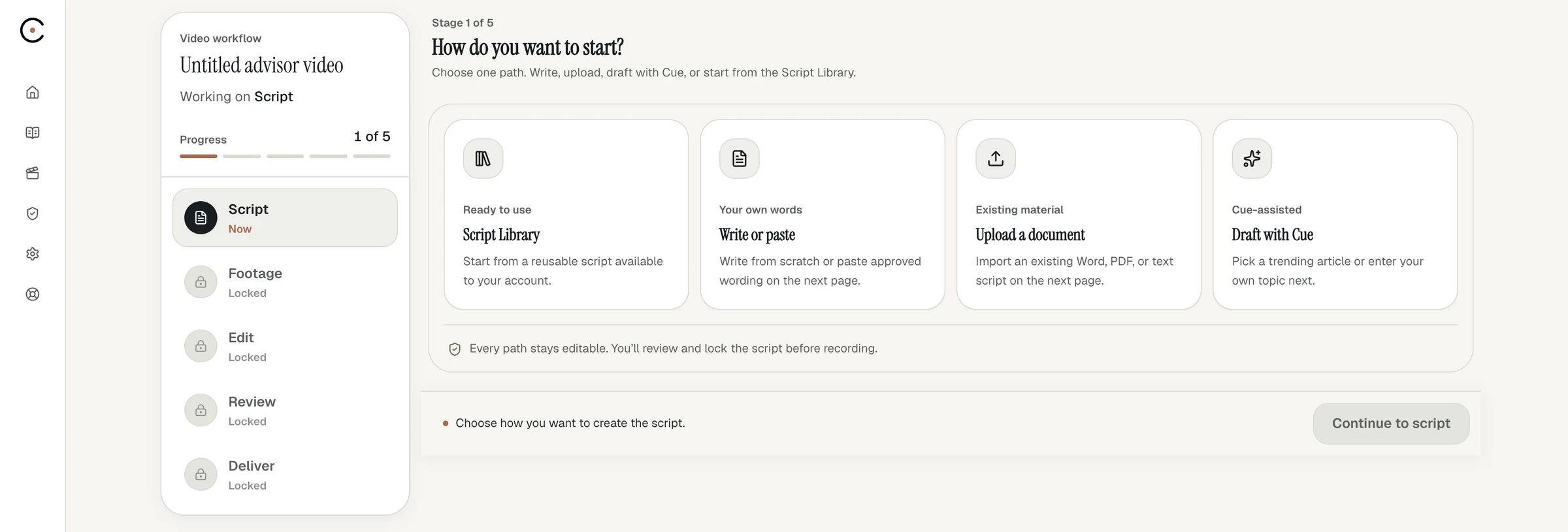
Four ways in
Start wherever your idea is.
01
Firm library
Pick from scripts your home office has already approved. The fastest route to an approved video.
02
Draft with Cue
Choose a trending article or describe your own topic, and Cue drafts a script in your voice.
03
Write or paste
Already know what you want to say? Type it or paste it straight into the editor.
04
Upload a file
Bring a Word, PDF or text file you've already written, and Cue loads it as your script.
Your voice
Drafts that sound like you.
Your profile, including your name, credentials, firm and voice guidance, shapes every draft. Cue gives you a starting point. You decide every word before anything is recorded.
- Drafts from recent news or your own topic
- Sections for intro, insight and call to action
- An estimated run time as you edit
- A LinkedIn post drafted from the same voice
Why locking matters
What you approve is what you record.
Locking preserves the exact script version used for the recording, along with its audit trail. Compliance reviews what you actually said, not a draft that changed along the way.
Security and review →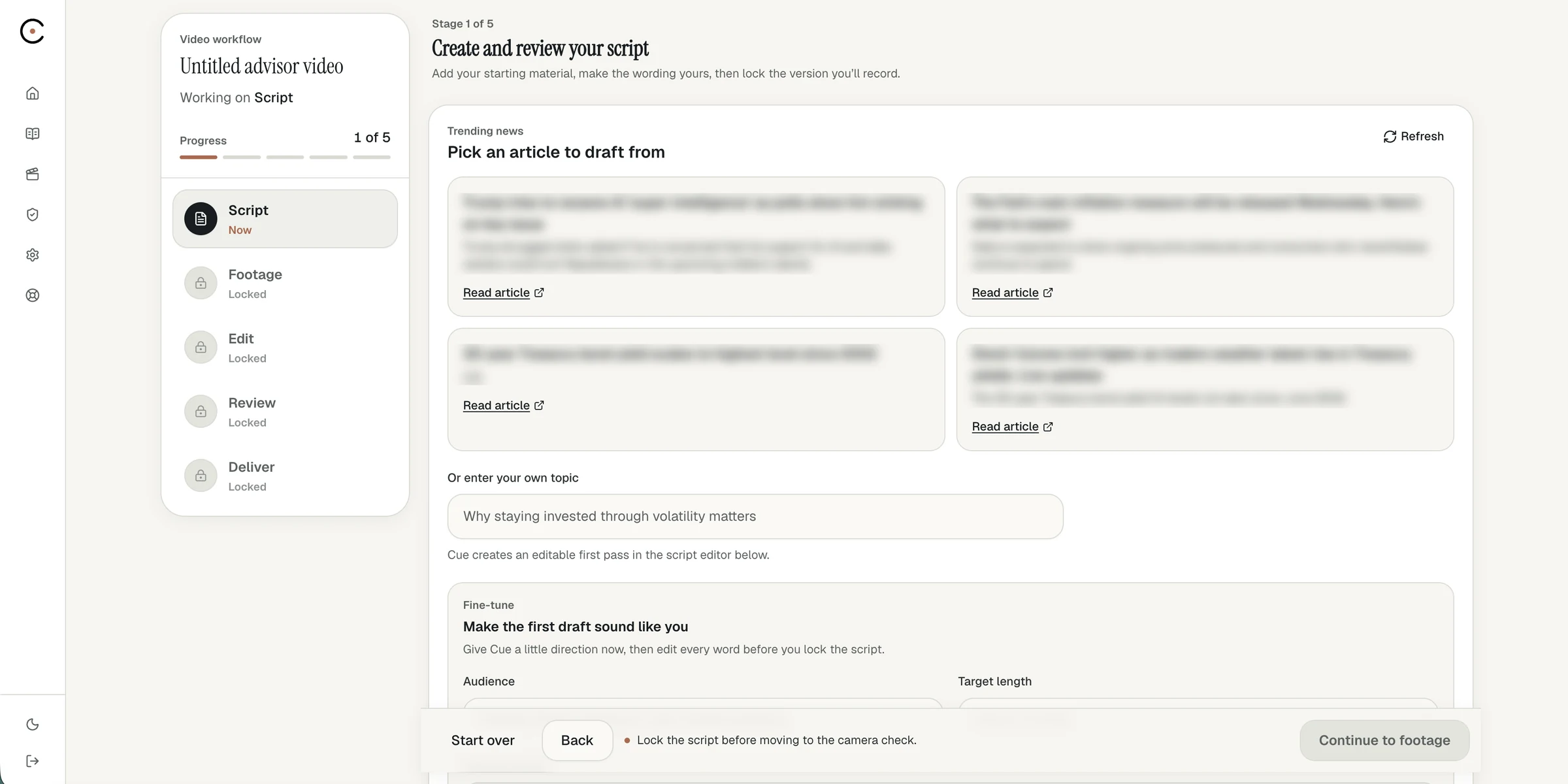
Can AI write video scripts for financial advisors?
Yes, as a starting point. Cue drafts from a trending article or a topic you describe, using your profile and voice guidance. You edit every word and lock the final version, and your firm's review still applies.
Where do video topics come from?
You can draft from a trending news article or describe your own topic. Firms can also publish approved scripts to a library that advisors pick from.
Can I use a script I already wrote?
Yes. Type or paste it into the editor, or upload a Word, PDF or text file.
Where does my disclosure go?
Your firm-approved disclosure is added to the finished video's end card or to the social post, wherever your firm chooses, so you don't have to write it into every script.
Your next video starts with a script.
Book a demo and we'll draft your first script with you.