LinkedIn video for financial advisors
Edit words, not timelines.
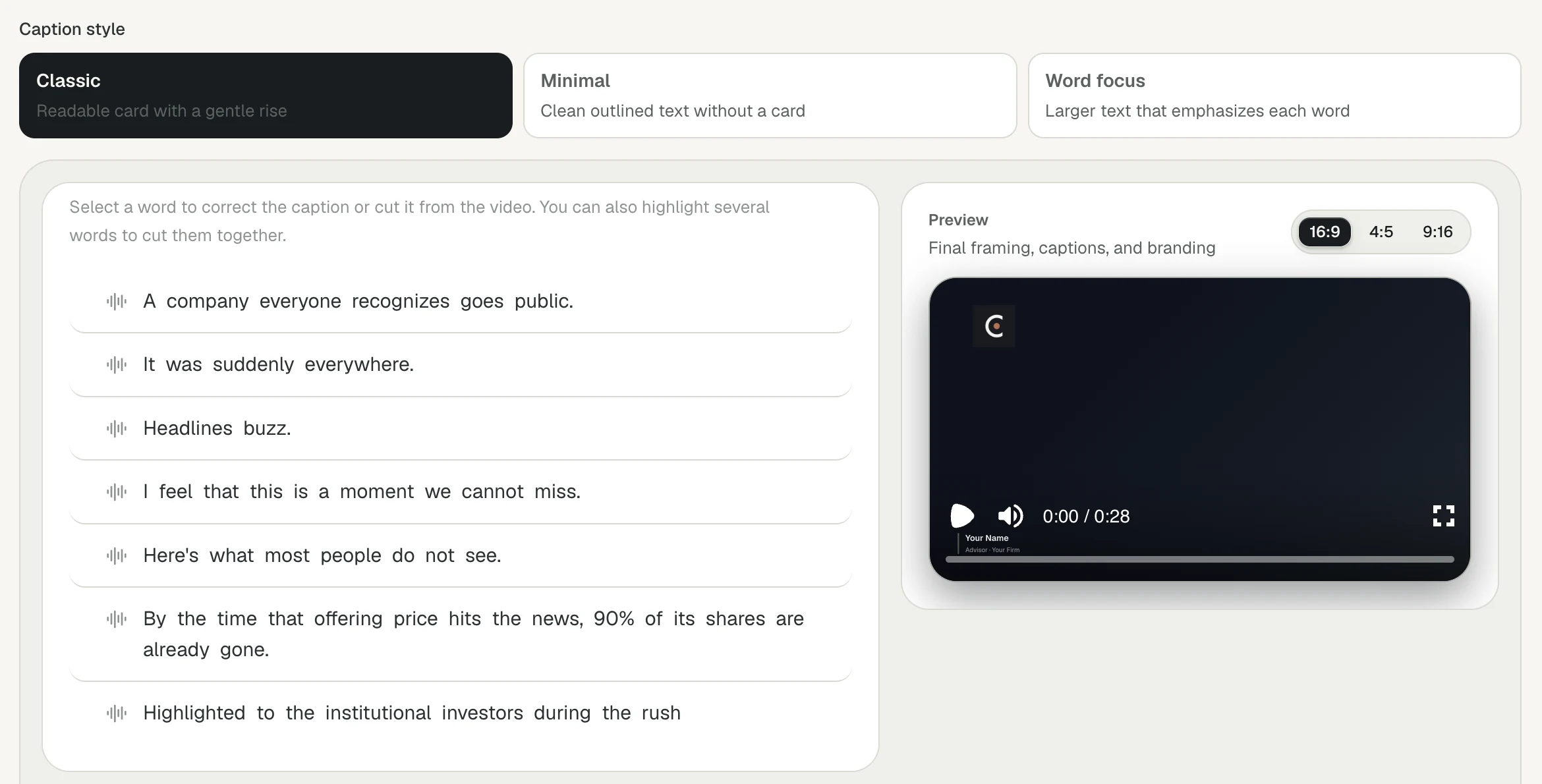
Cue turns your take into captions you can edit. Remove a line or a word and the video cuts with it. Then Cue renders three formats, burned-in captions, a transcript and a LinkedIn post drafted in your voice.
Editing
If you can edit an email, you can edit a video.
01
Edit through captions
Remove caption lines or individual words to make precise cuts. No timeline, no trim handles.
02
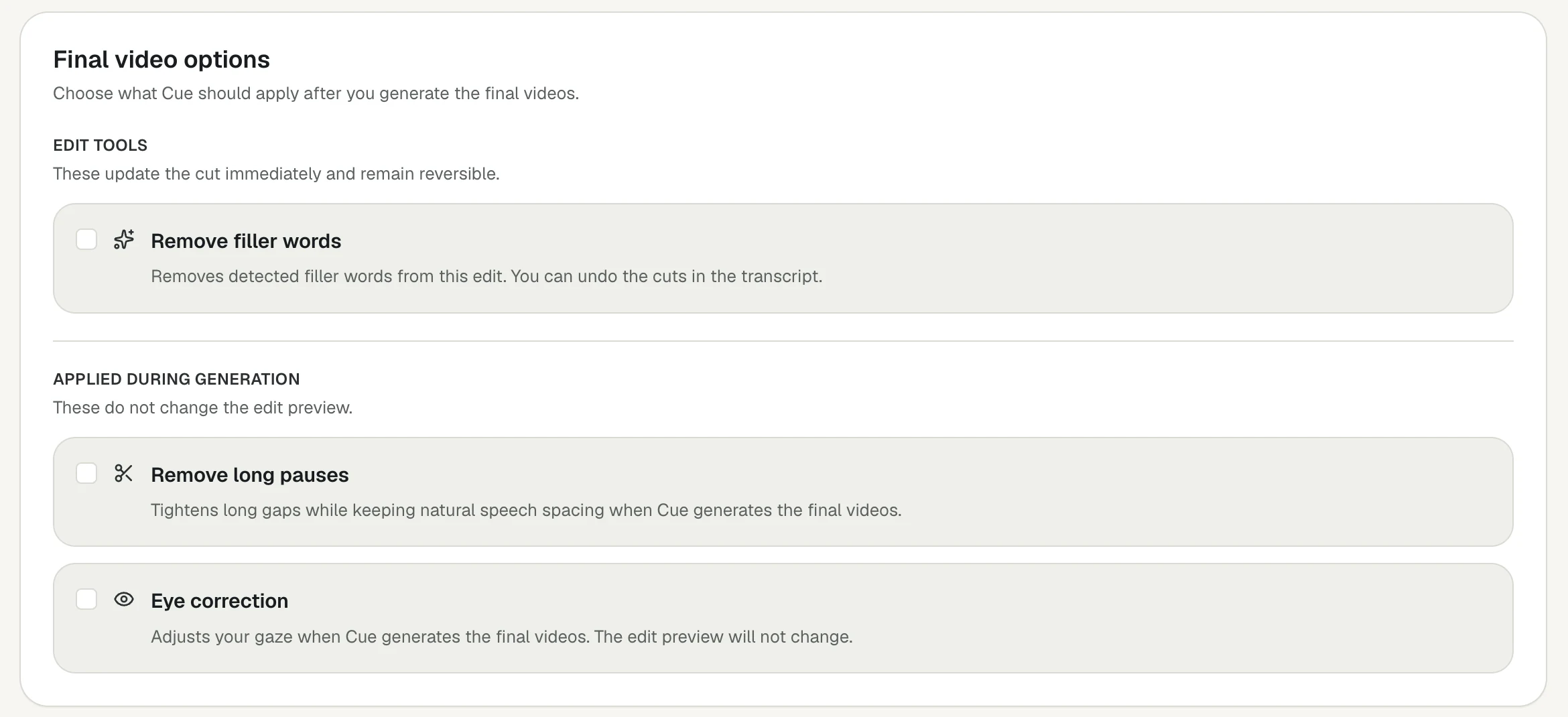
Pause and filler-word cuts
Cue suggests pause cuts for you to approve. Switch on filler-word removal to drop the ums and uhs, or have long pauses tightened when the final videos render. Undo any cut in the transcript.
03
Eye-contact correction
Apply optional eye-contact correction before processing, or re-record the take if you'd rather start over.
The package
One take. Every format you need.
Portrait video
Sized for the LinkedIn feed.
Widescreen video
For YouTube and your website.
Vertical video
For short-form and stories.
Captions file
Plus a readable transcript.
LinkedIn draft
Written in your voice, ready to edit and copy.
Every render includes burned-in captions, a lower third with your name and title in your brand color, and your firm-approved disclosure.
What video format works best for LinkedIn?
Taller formats take up more of the feed on a phone. Cue gives you a 4:5 version sized for the LinkedIn feed along with 16:9 and 9:16, so you can choose per platform.
Should LinkedIn videos have captions?
Yes. Plenty of people scroll with the sound off, so captions carry the message. Every Cue video includes burned-in captions and a separate SRT file.
Does Cue write the LinkedIn post too?
Yes. Cue drafts a post in your voice to go with the video. Edit it, then copy it when you publish.
Can I undo an edit?
Yes. Every change is undoable, and you can re-record the take if you'd rather start over.
Post something this week.
Book a demo and we'll turn a first take into a finished LinkedIn video with you.