AI video for financial advisors
Every advisor has something impactfulto say.
Cue Studio is a compliance-first video platform built for financial advisors. Record a guided video in about five minutes, and Cue turns it into three branded formats, captions, a transcript, and a LinkedIn draft.
Start with a demo, then try Cue free for 14 days. After that, $49 per active seat each month. Cancel anytime.
The reality
You know what to say. You just don't have time to produce it.
01
The blank page
You want to post a video but don't know where to start. What topic? What script? You stare at your phone and close the app.
02
The production gap
You recorded something. Now you need to edit it, brand it, caption it, write a post, and format it for three platforms. That's a full day's work.
03
The review queue
Everything needs review, and it usually happens at the end, on a finished file. Disclosures get added by hand. By the time it's cleared, the moment has passed.
How it works
From topic to approved video in one guided session.
1
Script
Start from your firm's approved library, draft with Cue from a trending article or your own topic, or write, paste, or upload a file. Then lock the version you'll record.
AI script writer →
2
Camera check
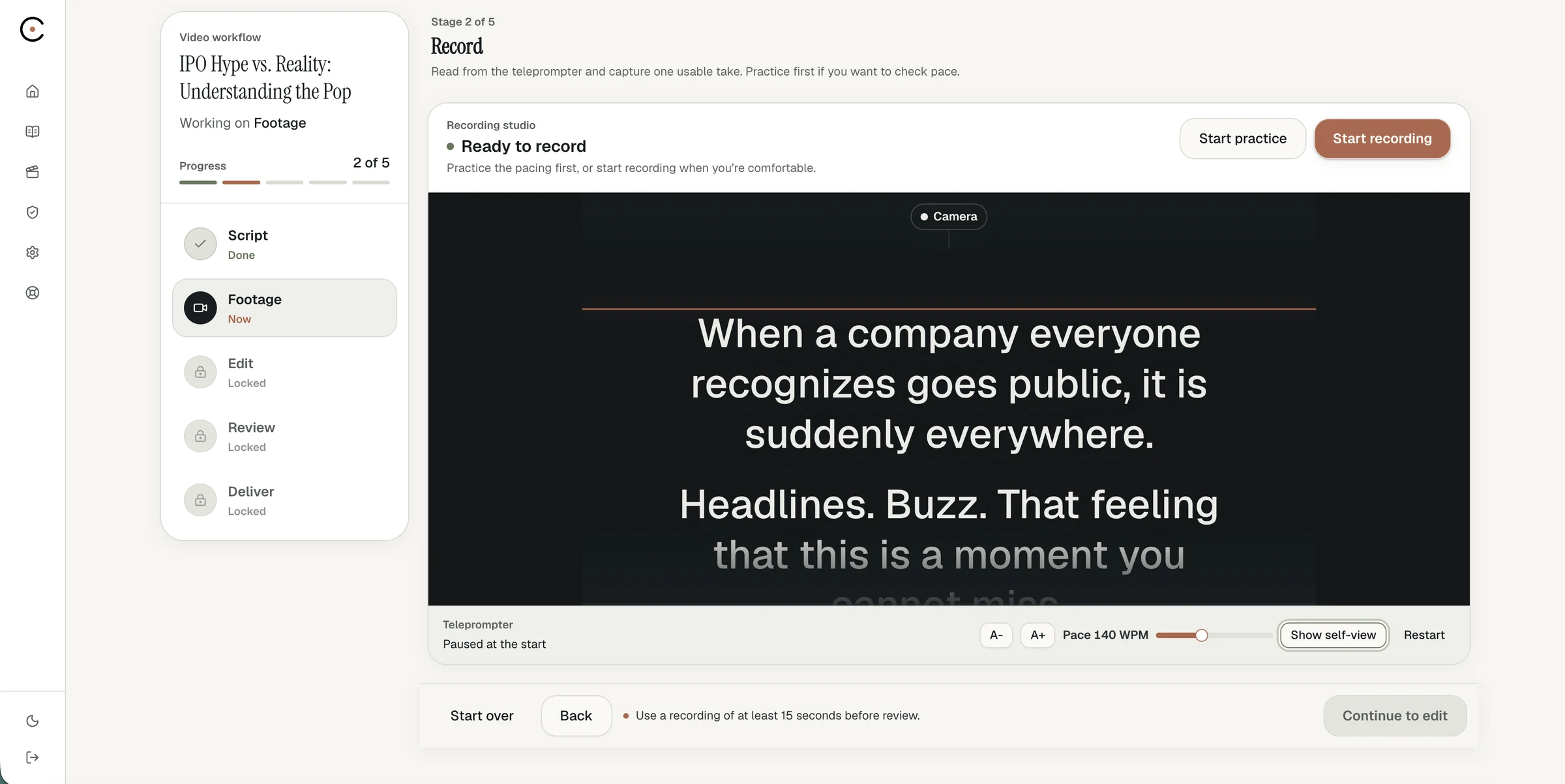
Live coaching on framing, lighting, and audio. The record button stays locked until every check is ready.
Guided recording →
3
Record
A teleprompter scrolls at the pace you set, right in your browser. Already have footage? Upload it instead.
Guided recording →
4
Edit
Cut the video by removing caption lines or words, review suggested pause cuts, remove filler words, and undo any change.
Editing and formats →
5
Deliver
Review the exact rendered files, record your attestation, then download and publish through your firm's process.
Security and review →
The package
One take. Three formats. A complete package.
Widescreen video
Full length, for YouTube and your website.
Portrait video
Full length, sized for the LinkedIn feed.
Vertical video
Full length, for short-form and stories.
Captions file
Plus a readable transcript.
LinkedIn draft
Written in your voice, ready to edit.
Your accent color and name carry through every render, captions are burned in, and your firm-approved disclosure goes where your firm chooses.
New
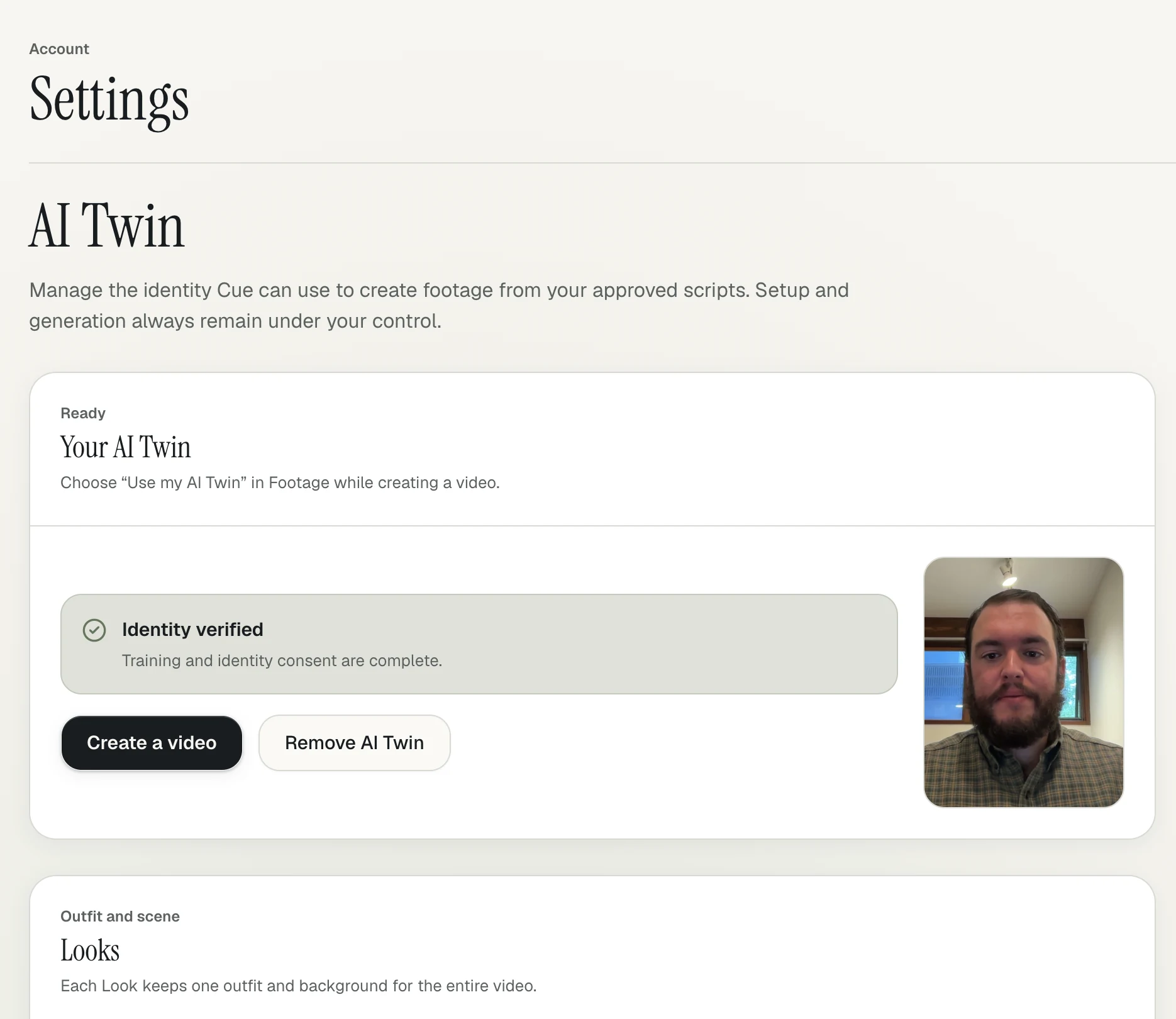
Your AI avatar. Your words.
Cue turns the recordings you've already made into your AI Twin, an AI avatar of you. Then produce new videos from any script: your firm's library, one you write, or one Cue drafts for you.
- Built from your existing Cue recordings
- Works with library, written, or AI-drafted scripts
- Record when you want to. Use your AI Twin when you can't.
- AI Twin videos are an additional cost, billed by usage
Who it's for
Built for the advisor and the firm.
Independent advisors
A steady presence without a production crew
For solo advisors and small teams who want to show up on LinkedIn and their website every week.
Video for independent advisors →
Enterprise
Every advisor on camera, on message
For home offices rolling video out across many advisors, with a shared script library and consistent branding.
Enterprise video platform →
Compliance and IT
Know where every file goes
For CCOs and IT teams vetting a vendor: how Cue protects advisor data, and the script, disclosure and final file reviewers see before anything goes out.
Security and review →
Compliance-first
Built to support your review process, not route around it.
Compliance is a stakeholder in every advisor video. Cue gives your reviewers what they need, in the order they need it.
Locked scripts
Locking preserves the script version used for the recording, along with its audit trail.
Approved disclosures
Save your firm-approved disclosure once. Cue places it on the video end card or in the social post, wherever your firm chooses.
Advisor attestation
The advisor records a compliance attestation before the final video is approved.
The exact files
Reviewers see the rendered package that will publish, not a rough cut of it.
Cue supports your firm's review process. It does not certify that content is compliant.
Your footage
Stays yours
- Encrypted
- Never used to train AI models
- Configured to expire after 60 days
What is Cue Studio?
Cue Studio is a video creation platform built for financial advisors. It guides an advisor from script to recording to a finished, branded video package in one session, with a compliance-first workflow: locked scripts, firm-approved disclosures, and a recorded advisor attestation.
How long does it take to make a video with Cue?
Recording a guided video takes about five minutes. Cue then renders three formats (16:9, 4:5, and 9:16), burned-in captions, an SRT file and transcript, and a LinkedIn post draft written in your voice.
Can I use an AI avatar instead of recording?
Yes. Cue turns the recordings you've already made into your AI Twin, an AI avatar of you, and it can deliver any script: one from your firm's library, one you write, or one Cue drafts for you.
Is video made with Cue compliant with FINRA and SEC rules?
Cue supports your firm's review process. It does not certify that content is compliant. It locks the script version you record, applies your firm-approved disclosure, records your attestation, and gives reviewers the exact rendered files that will publish.
Is my footage used to train AI models?
No. Footage recorded in Cue is encrypted, is never used to train AI models, and is configured to expire after 60 days.
How much does Cue Studio cost?
Cue Studio is $49 per active seat each month after a 14-day free trial. Enterprise pricing is custom, and AI Twin videos are an additional cost, billed by usage.
Your expertise deserves an audience.
Bring a topic, a favorite blog post or this week's market commentary. We'll show you how Cue turns it into a finished video, then set you up with a 14-day free trial.